Miro | Interior Design Studio Template Kit
- Unit price
- /per
A client's experience of your studio is shaped as much by what they receive between meetings as by the meetings themselves. This studio document kit provides the complete sequence of seven documents, from first enquiry to final handover, so the communication your clients receive carries the same intention as the work you deliver.
1. Investment Guide: A pricing brochure sent before the proposal to filter leads and anchor your value.
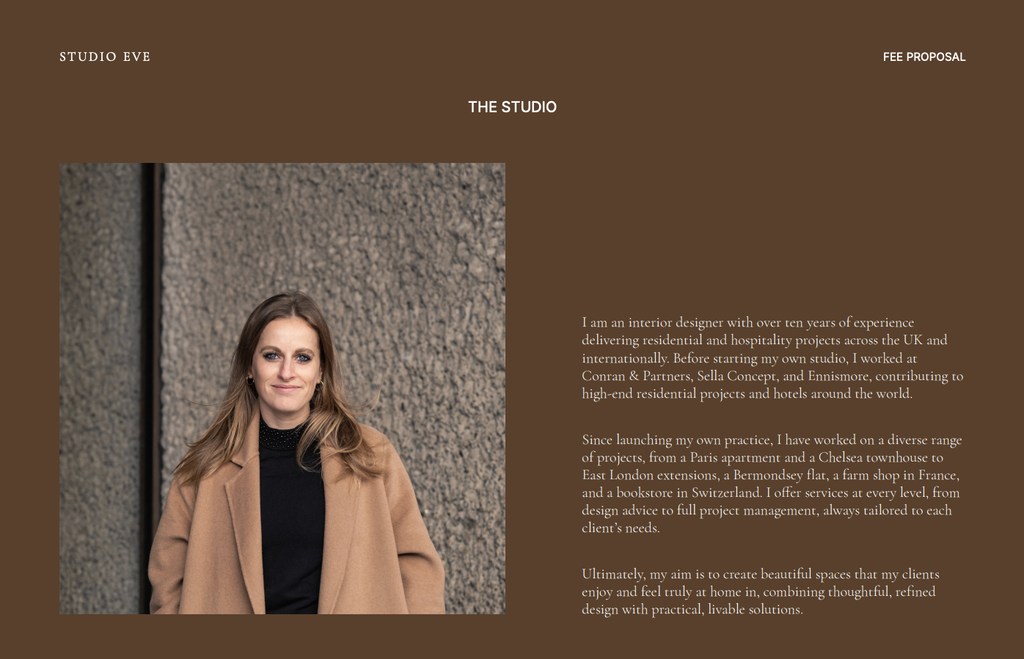
2. Fee Proposal: A structured document that visualises the project phases and deliverables, justifying your fees before you ask for the signature.
3. Welcome Guide: Your operational handbook. It sets boundaries and communication rules immediately after the contract is signed.
4. Client Discovery Questionnaire: A digital briefing tool to capture lifestyle needs and habits automatically, preventing expensive assumptions.
5. Design Presentation: A 3-part framework (Brief, Concept, and Design Development) that secures approval on the strategy before you invest hours in technical detailing.
6. Feedback & Sign-Off Checklist: A checklist to document decisions and approvals, protecting you from scope creep during project execution.
7. Client Handover & Care Guide: A closing document including care instructions, referral requests, and a Feedback Request Form.
1. Investment Guide, Fee Proposal, Welcome Guide, Client Handover & Care Guide:
- Software: Canva, Adobe InDesign, PowerPoint (choose the platform you feel comfortable using)
- Format: A4 & US Letter
2. Design Presentation:
- Software: Canva, Adobe InDesign, PowerPoint (choose the platform you feel comfortable using)
- Format: 16:9 (Digital) and A3 (Print)
3. Client Questionnaire, Feedback & Approval Checklist, Client Handover Feedback Form:
- Software: Google Forms
4. FF&E Schedule and Project Spec Guide Template Kit (if option selected):
- Software: Google Sheets
- Format: A4, US Letter, and A3
Every project relies on clear communication. How you introduce your services, gather information, present ideas, and close out a project shapes the client's perception far more than the design itself.
The Studio Kit brings these conversations into one steady system. Instead of using mismatched documents and rewritten emails, you have a cohesive suite of templates that share the same visual language and tone. This signals to clients that your studio is an organised, high-value operation.
What this does for your studio:
- Unifies Your Brand: Clients experience a consistent level of refinement from the first "Hello" to the final "Thank You."
- Flexible Configuration: Use the Core Kit for client-facing presentations and agreements, or add the FF&E Schedule Template Kit if you also need a robust system for procurement and ordering.
- Reduces Admin Fatigue: Instead of reinventing the wheel for every new lead, you have a verified infrastructure ready to deploy.
Clients crave leadership. When you send disjointed documents, they feel the chaos. When you send a cohesive suite of branded guides, they feel guided.
This studio template kit allows you to maintain a "high-touch" studio feel without the manual labour. It ensures that even when you are busy or stressed, your client-facing communication remains calm, clear, and professional.
Is this different from the old "Client Experience Kit"?
Yes. This is an upgraded, comprehensive Studio Kit. It now includes our strategic Google Forms tools (Client Questionnaire and Feedback Checklist) which were previously sold separately. It is designed to be the complete operating system for your studio's communication.
What is the difference between "Studio Kit Only" and adding the FF&E Schedule Template Kit
The "Studio Kit Only" contains the 7 core communication templates and forms. It is perfect if you already have a system or software for doing specs. Adding the "FF&E Schedule Template Kit" includes everything in the Studio Kit PLUS our procurement tools (FF&E Schedules and Specification Guides in Google Sheets).
Do I need paid software to use this?
Most of the kit is available in Canva (Free or Pro) and Google Forms/Sheets (Free). You do not need Adobe InDesign unless that is your preference.
Does this include pre-written text?
Yes. Unlike templates that rely on standard placeholder text (Lorem Ipsum), this document includes professional industry language throughout. You can use the existing copy as a foundation and simply edit the details to align with your studio's processes.
How long will it take to set up?
If your content is ready, you can drop in your images, text, and project details in under an hour depending on the document you're working on. The framework is already in place, so you’re not starting from zero.
What is your refund policy?
Due to the digital nature of our products, we cannot offer refunds once the files have been downloaded. Please read the software requirements carefully before purchasing.
FFE and Specifications:
Adding product to your cart
Studio Reviews
I used the Fee Proposal template so far and thought it was really helpful. It helped me structure the document and the graphics made it look neat and professional. I also like the access to the image library.
This was so helpful to me because I was struggling how to make a proposal and how to make project presentation. Now I have all in one place and that makes me more efficient and gives me more time to work on my projects.
I am so glad I purchased these templates! It really has made the process to creating visuals and presentations for my clients so much easier! There’s so much information and it is like a fill in the box so it makes work so much quicker instead of guessing what I should include. Thank you! I highly recommend Sonderpath!
The template package has been beautifully put together. Customizing it to align with my brand and services has been straightforward and effortless and saved me so much of my precious time.
Great templates! Very practical